
.png)
Streamlining the IT Process in Public Safety Departments Through the Use of a Free HTML Splash Page
02//21
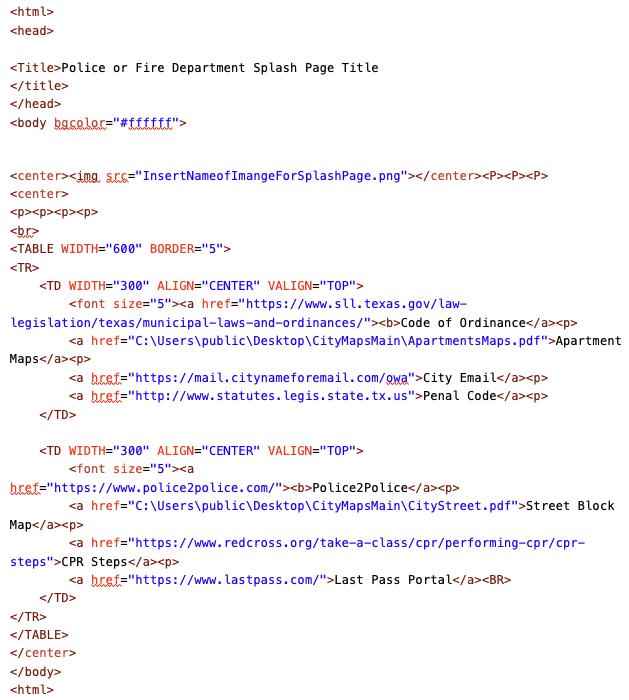
Working in the IT department of public safety can be a challenge, especially when getting software approved can be a lengthy process. But with the right technology and software, the process can be made significantly easier. To illustrate this, I created a free HTML splash page for police and fire departments that would open up once a Windows machine was booted. This gave officers and firefighters quick access to the links they needed. By doing this, I was able to make the IT process more efficient for these departments.
This Splash page was created using Windows Notepad.
I included both external websites and internal links.
I was able to insert internal files by directing the link to a local folder.
Once I was done editing, the file was saved as file_name.html.
This Splash page was created using Windows Notepad.
I included both external websites and internal links.
I was able to insert internal files by directing the link to a local folder.
Once I was done editing, the file was saved as file_name.html.